
The change of the color scheme and logo of the system
How to change the color of buttons, tables, backgrounds, icons. Replacing the logo
You can:
- Customize your system according to your brand's color scheme.
- Upload a logo.
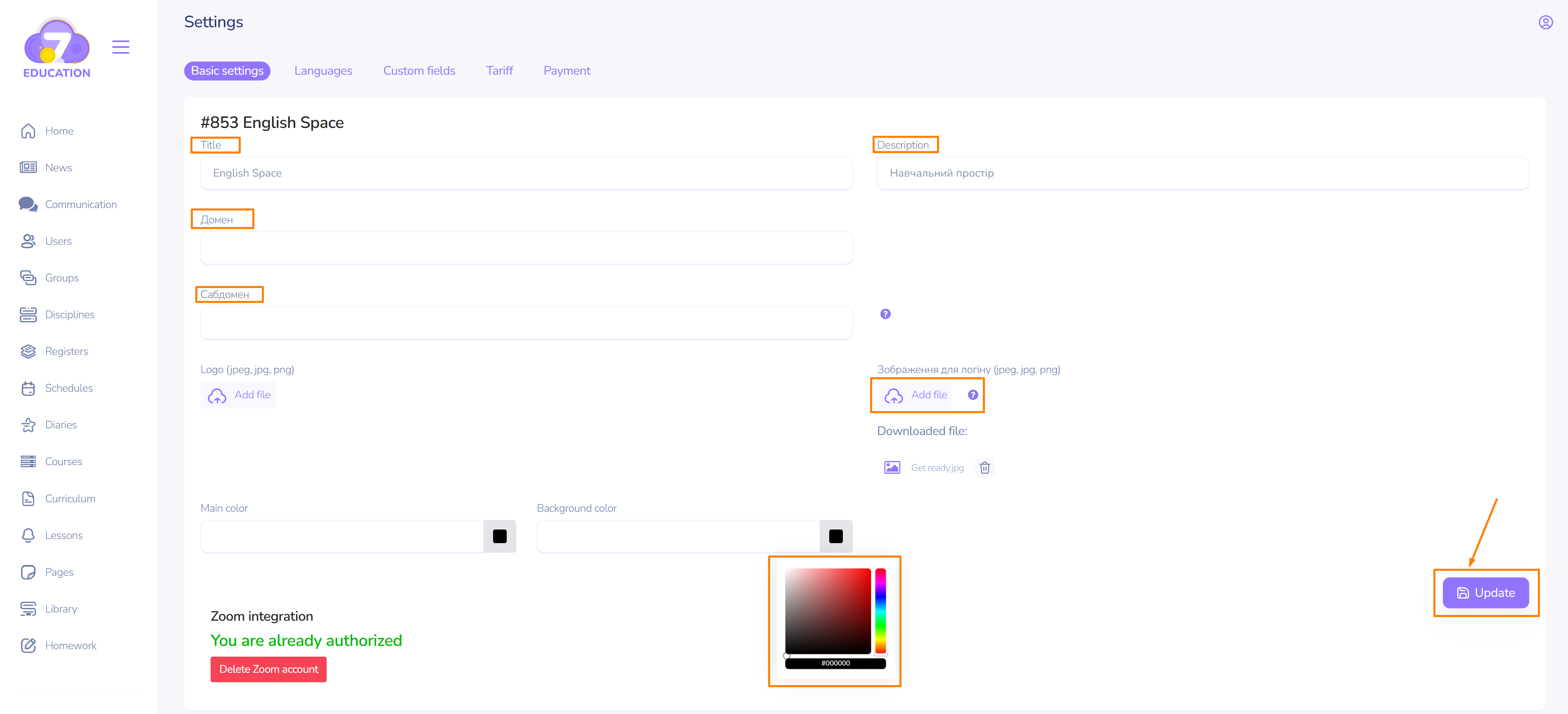
On the Settings page, use the color selection form for elements and background, add the logo, and click Update.
These features are available for users with the Administrator role.