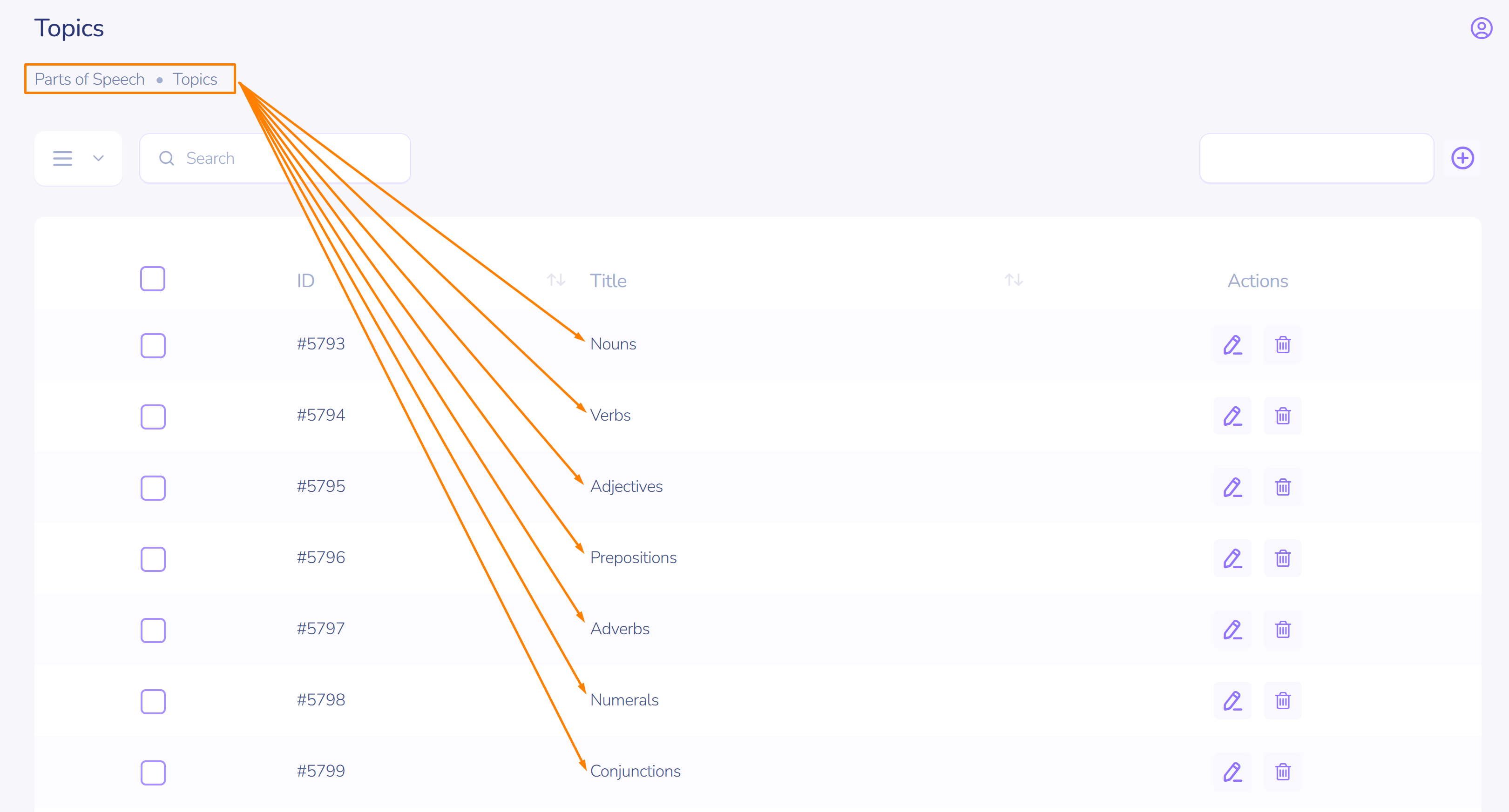
Curriculum
A learning plan allows you to structure teaching using blocks/modules/sections.
Preparation. Creating a section
Take the following steps:
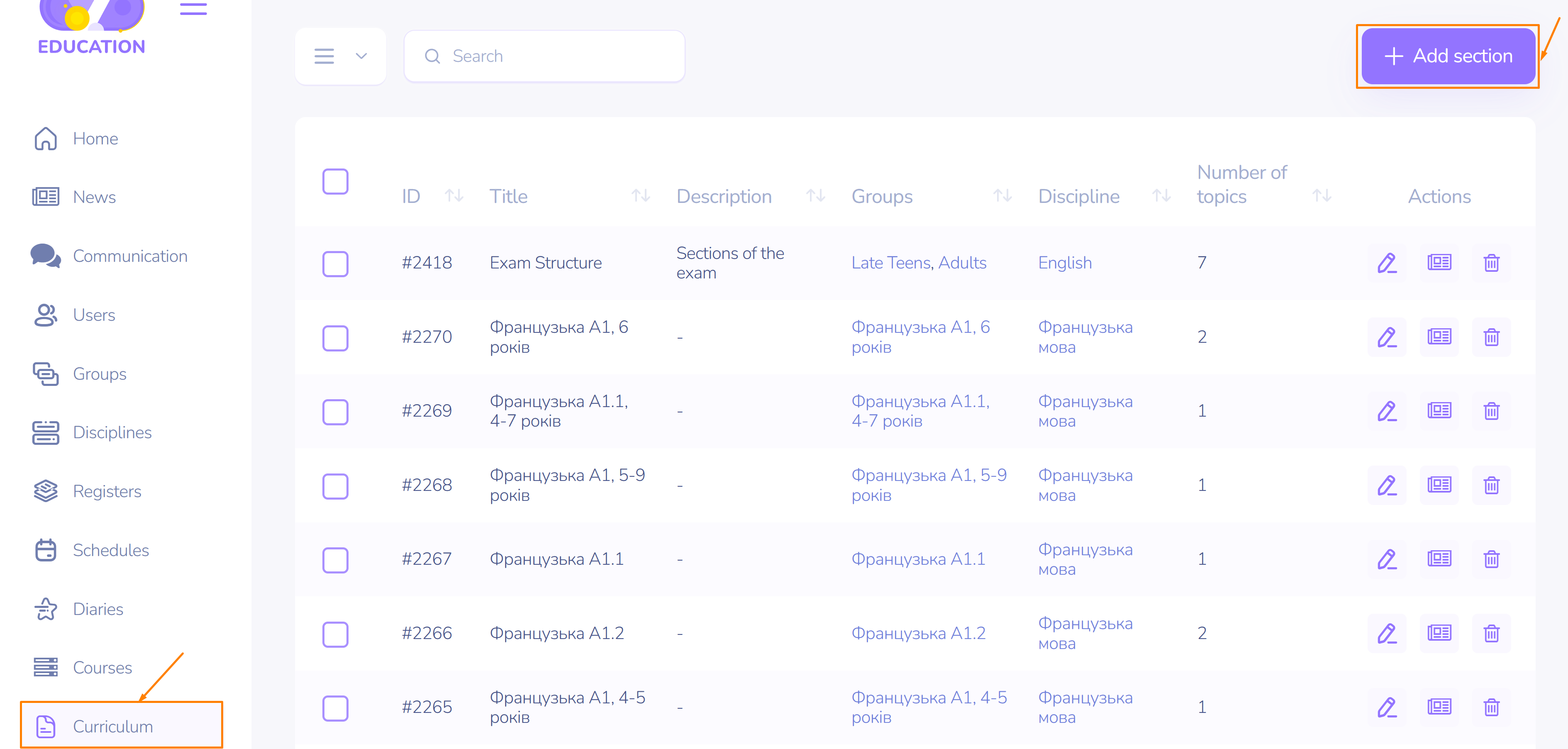
- On the left sidebar, select Curriculum.
- Click Add Section.
On the section creation page, follow these steps:
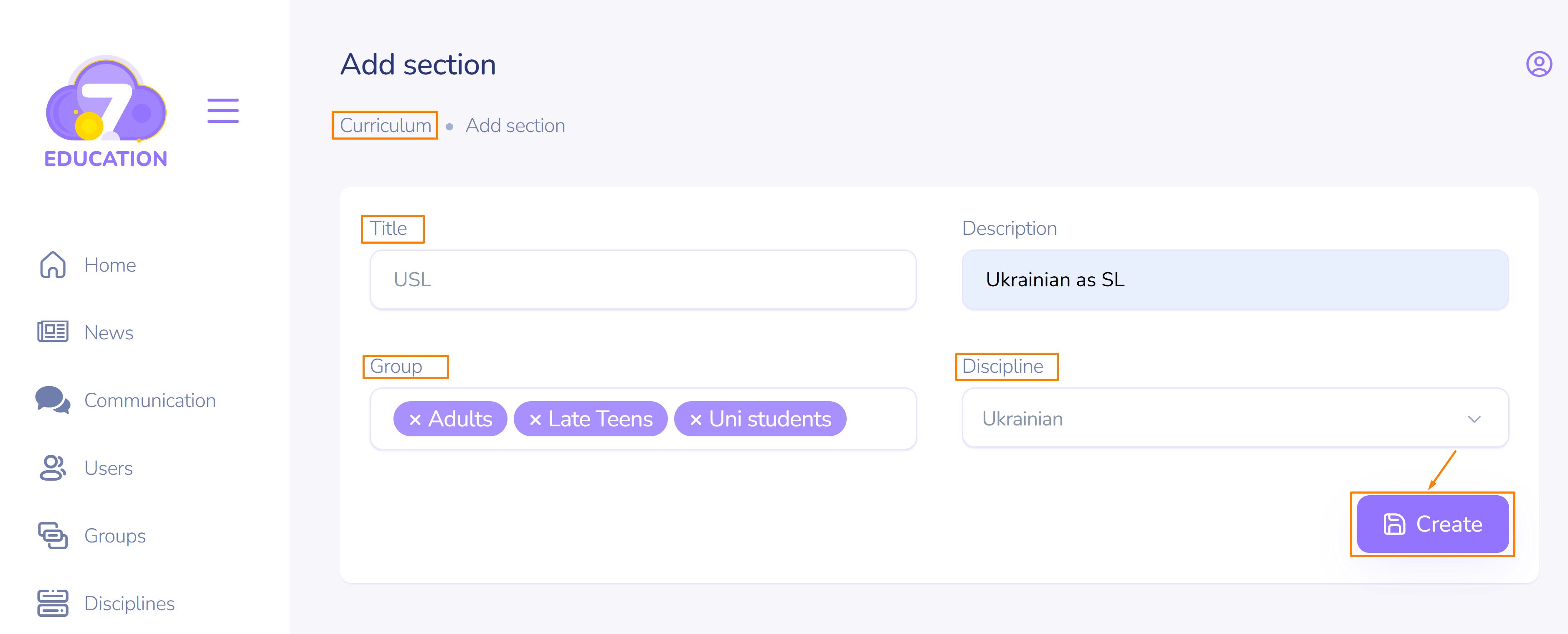
- Select the group for which the section is being created.
- Choose the discipline.
- Specify the section name.
- If necessary, add a description.
- Click Create.
The created section is ready to be used.
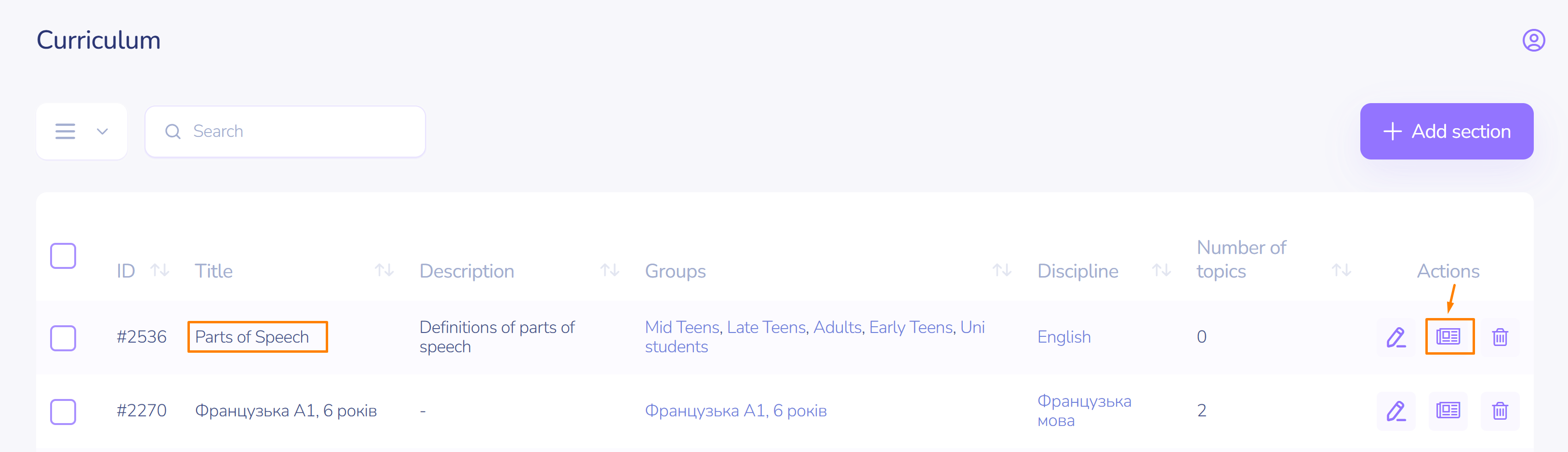
The new section should appear in the top row.
The current number of topics can be tracked in the corresponding column.
The edit button allows you to correct the name, add a description, change or add a group, and change the subject.
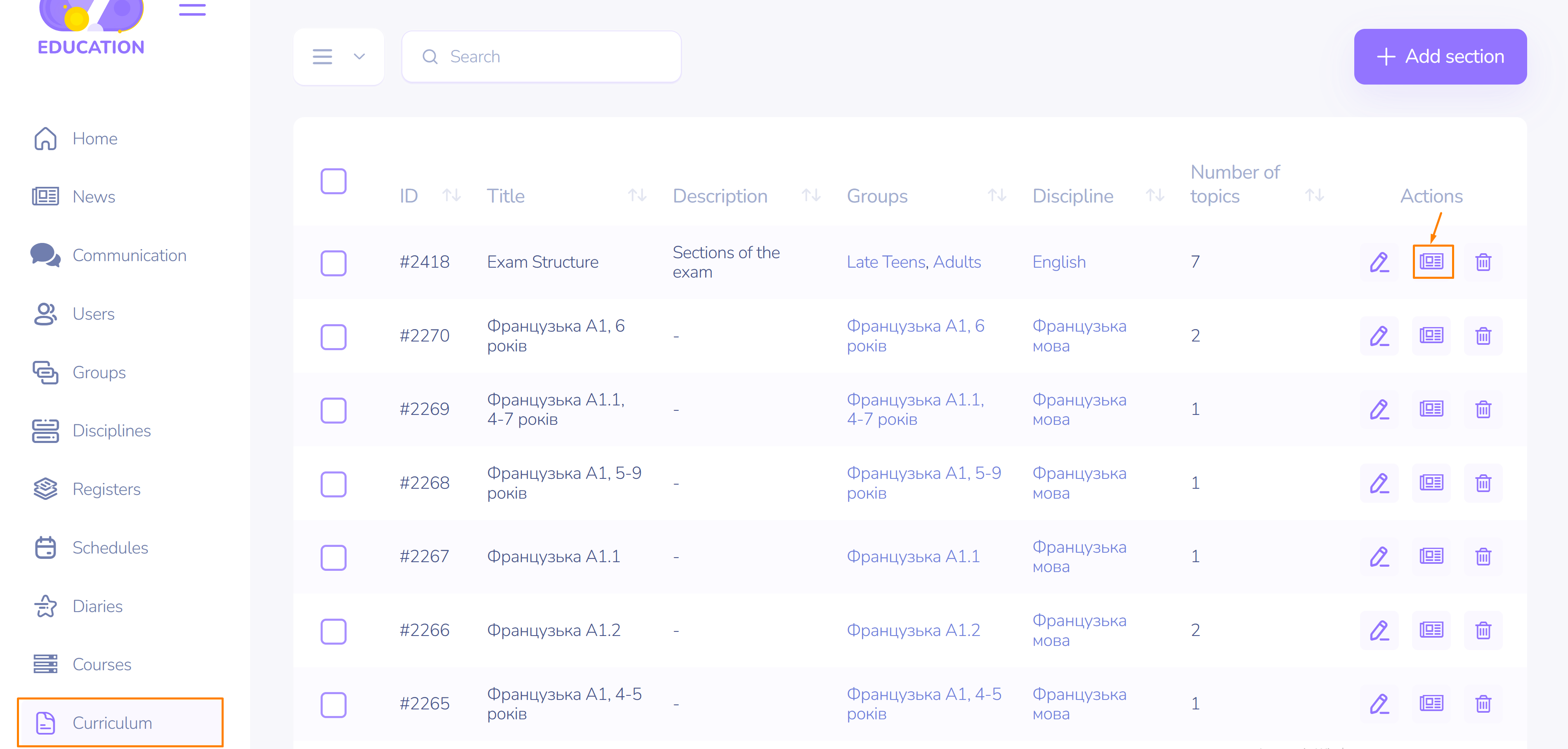
The topic button is for adding, editing, or deleting topics.
The delete section button.
Preparation. Creating topics
Click the topic button in the section row.
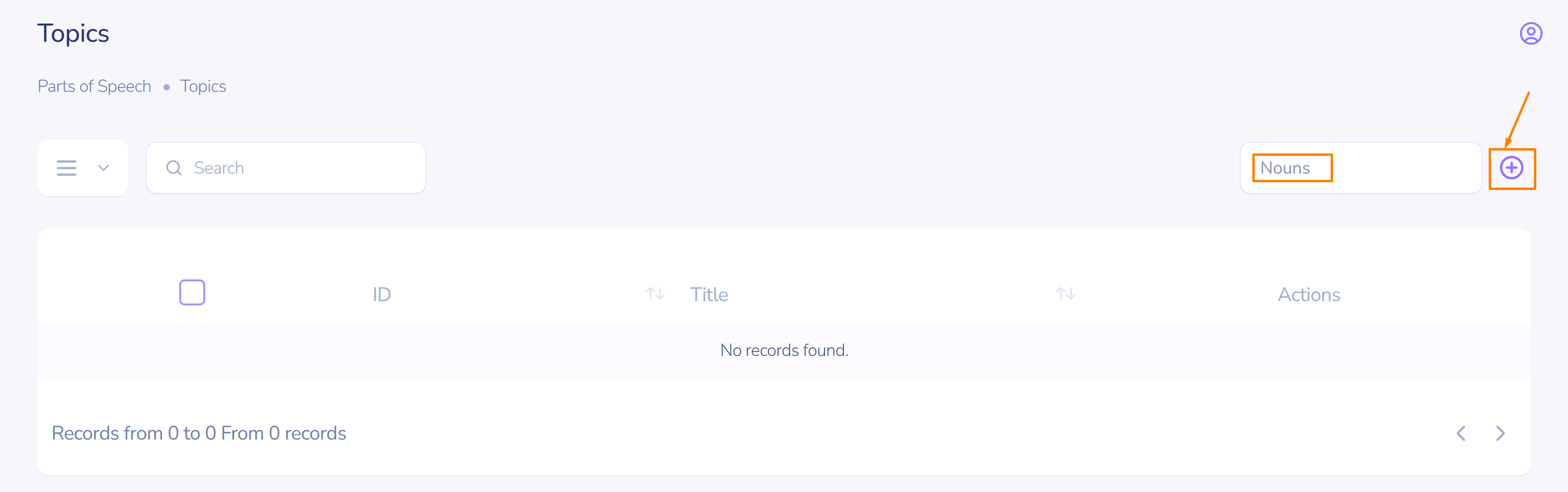
- Enter the topic name.
- Click the add button.
To quickly add a topic, press the Enter key.
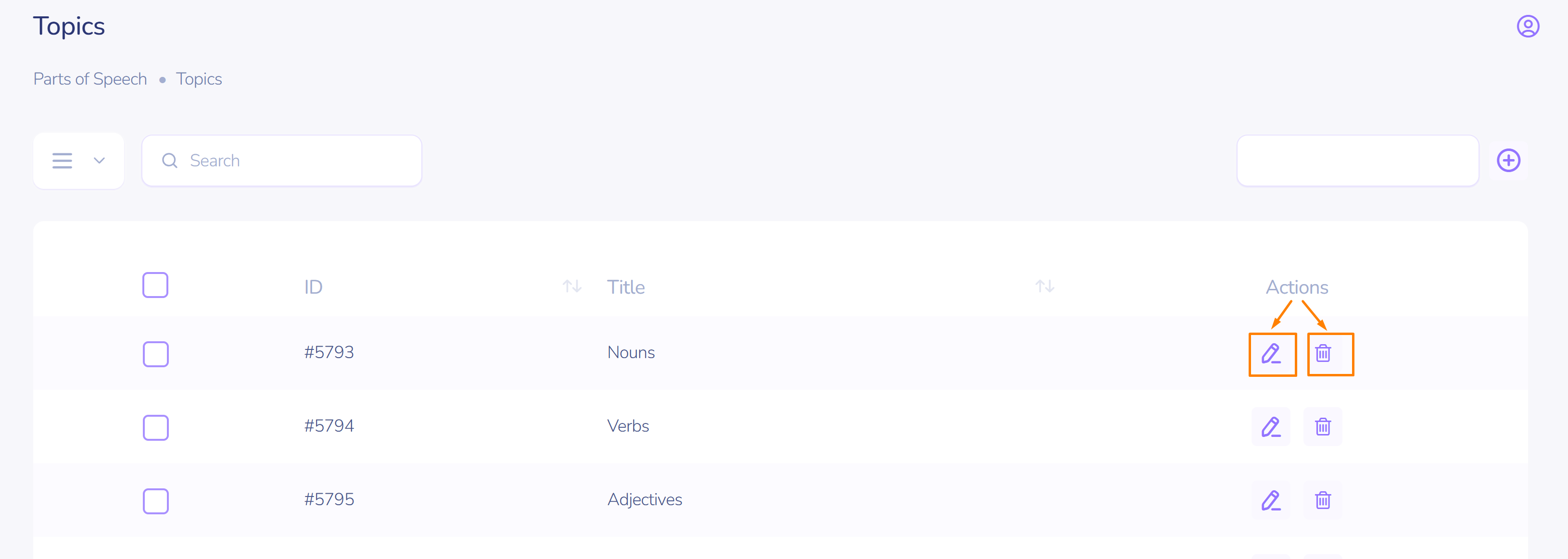
The topic has been created. Now it can be edited or deleted.
Curriculum
Create curricula for groups with an unlimited number of subjects (courses, fields).
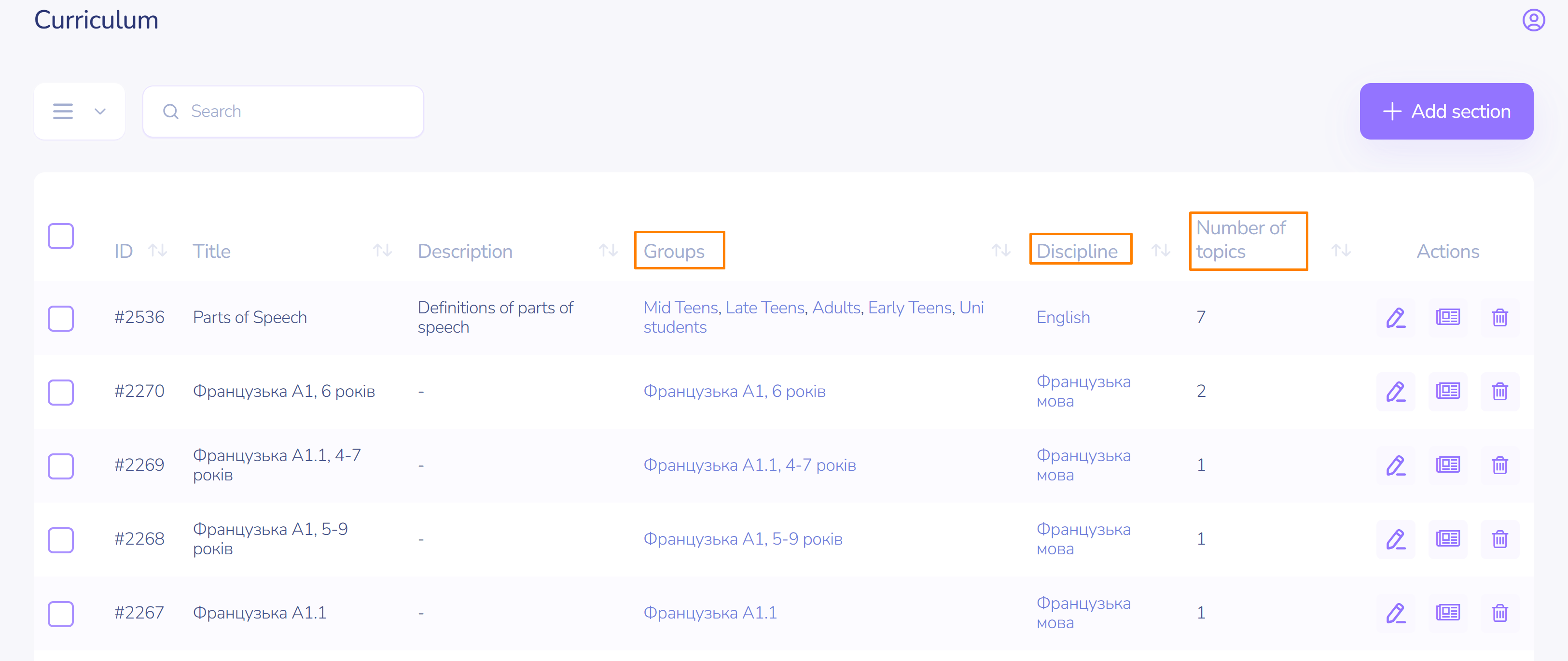
Add the required section of your plan.