
Registers
How to grade assignments for teachers and tutors in the register. How to track grades for other users in the diary.
Registers provide the ability to assign and view student grades.
Let's look at two simple steps:
Step 1: Open the journal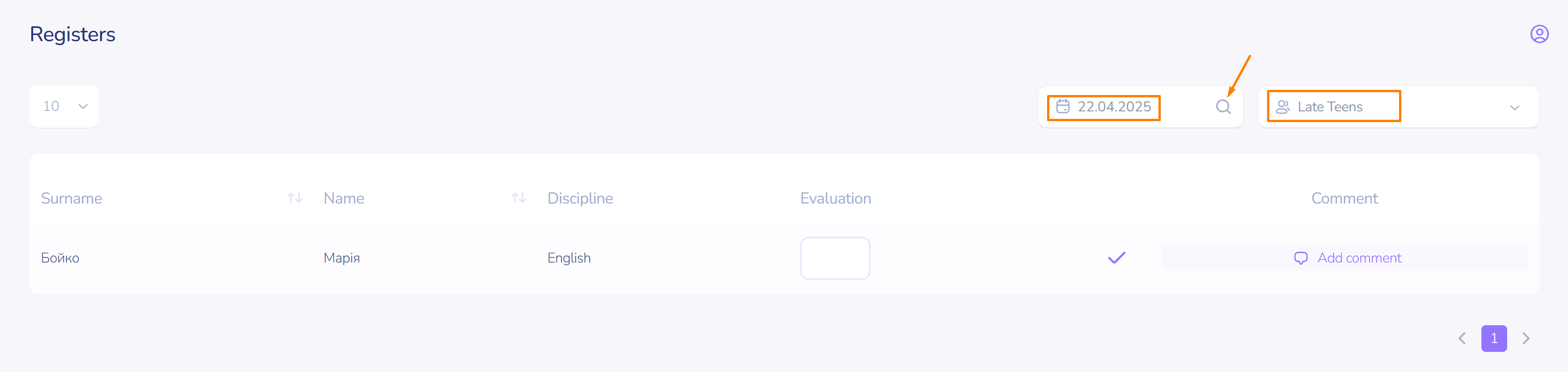
To open the register, click the corresponding button on the left sidebar.
Select the viewing date.
Step 2: Assign a grade
Grade the student's activity in the lesson:
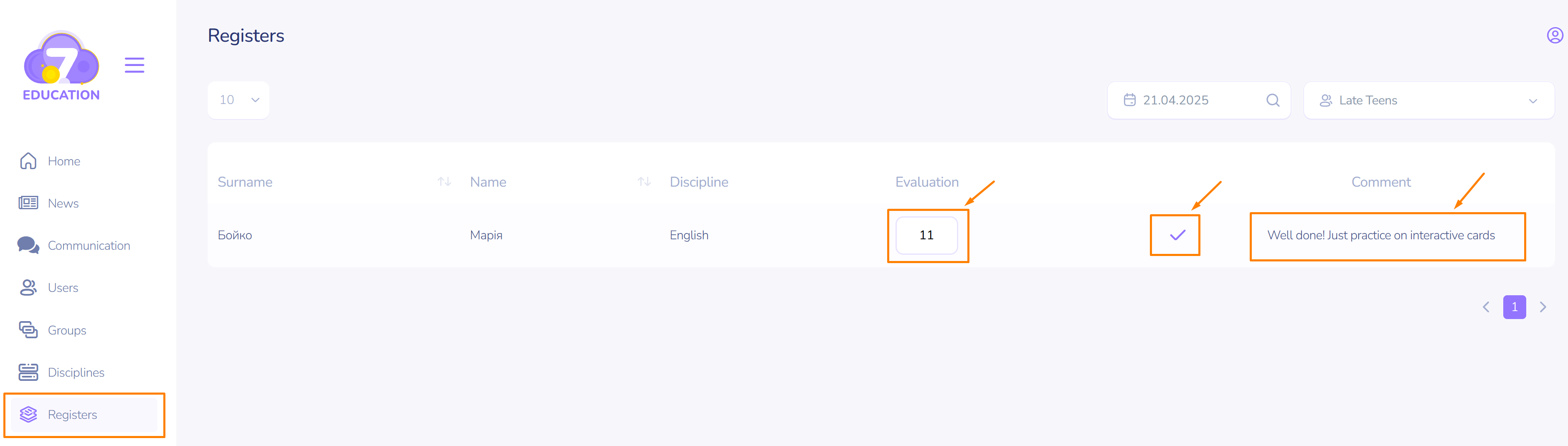
- Find the row corresponding to the required subject and the student's first and last name.
- Click on the text field for the grade.
- Enter the number.
- Click the checkmark on the right.
- If necessary, leave a comment.
- Click the checkmark to the right of the comment.