
Adding users
How to add a user to the system
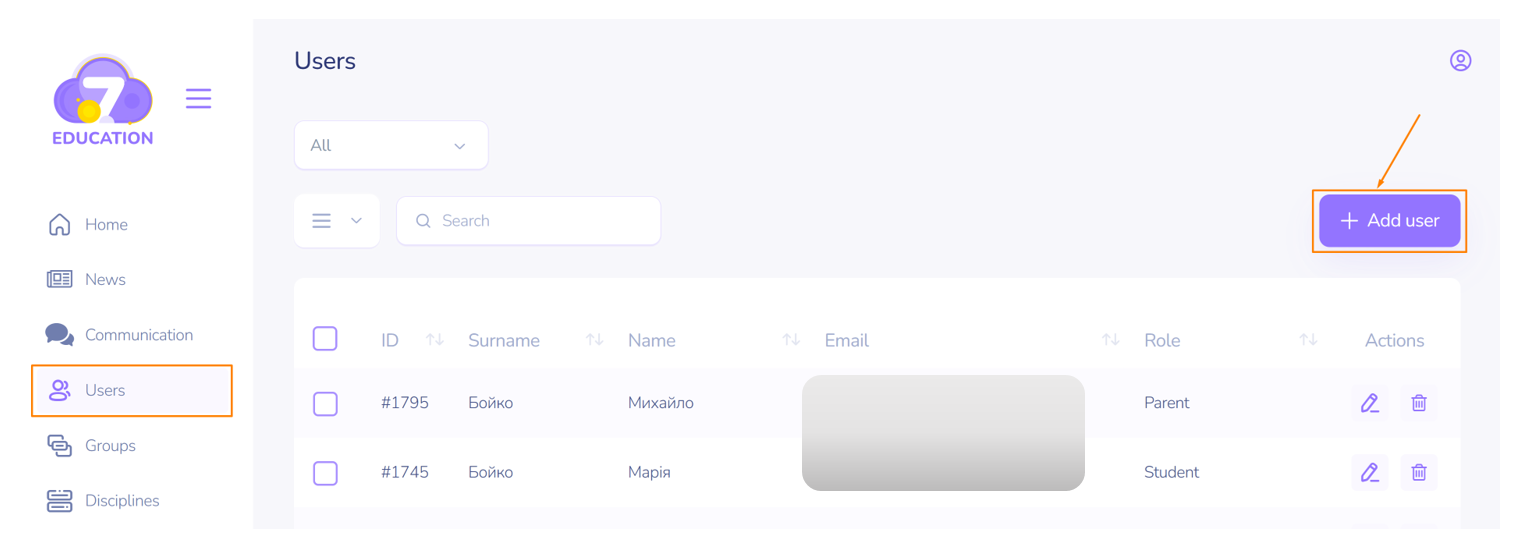
To add a user to work in the Space, follow these steps:
- On the Users page, click Add User.
- On the add user page, fill in the first name, last name, email address (which will be needed later for authentication), and select the role the user will have in the system.
- When assigning the roles of Student or Listener to a user, specify the group to which the user belongs.
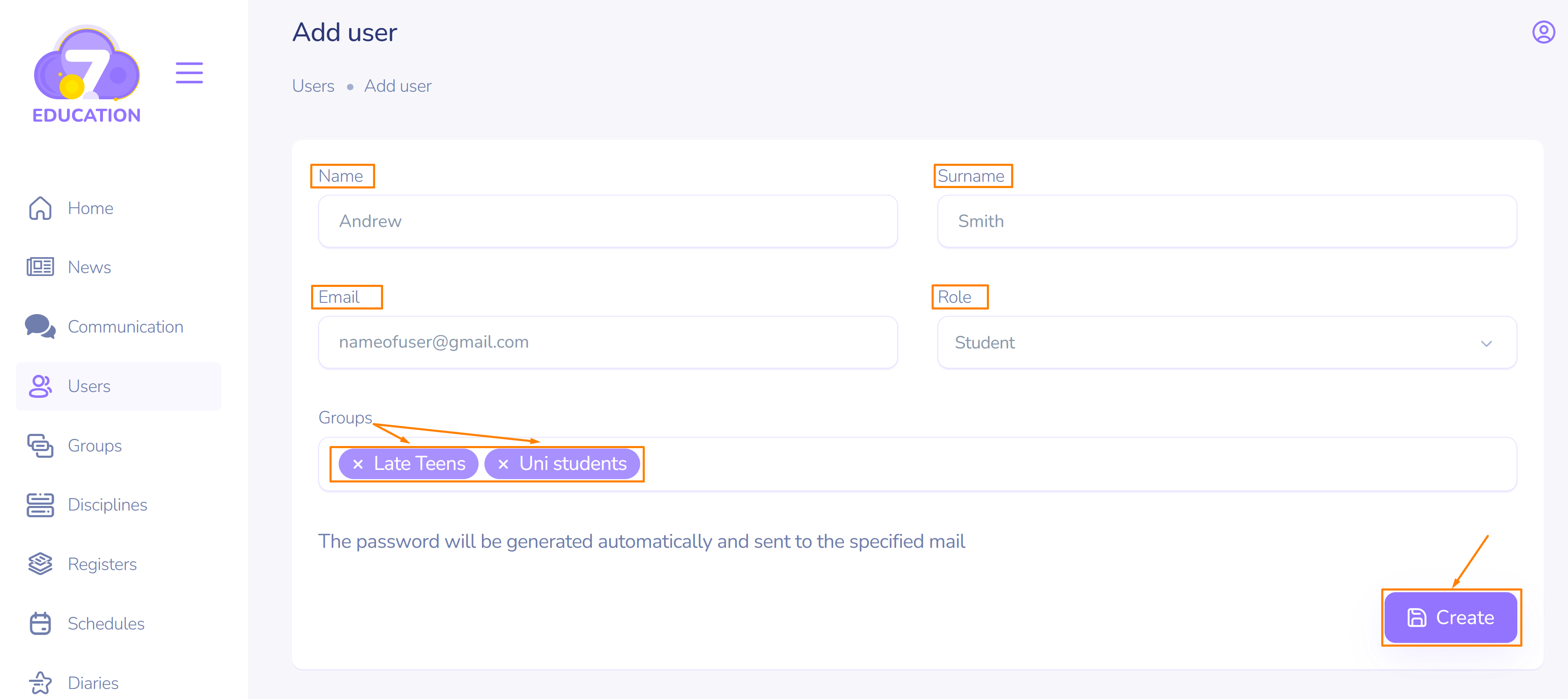
A user can be a member of multiple groups simultaneously.
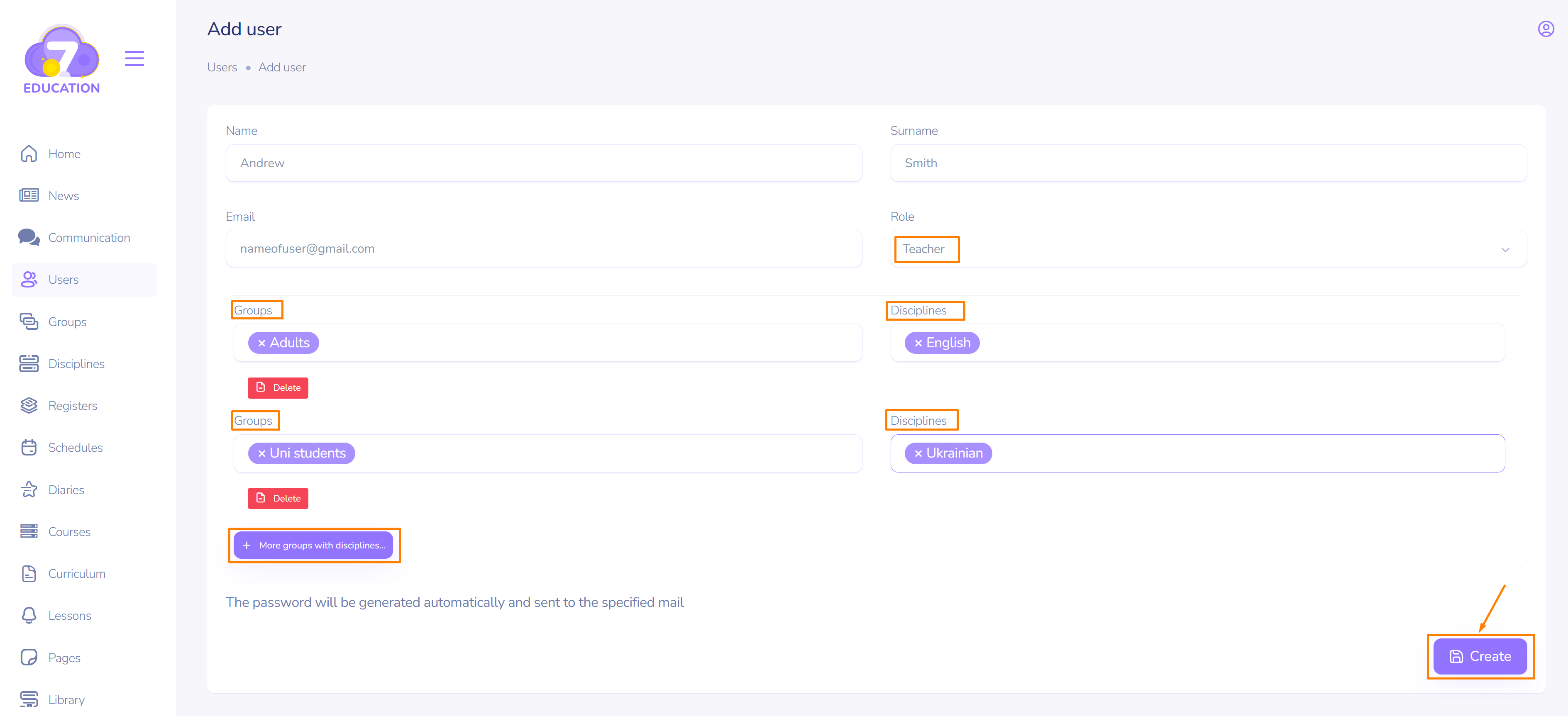
When assigning the roles of Teacher or Tutor, specify the subject they will teach, as well as the group to which this subject applies.
A Teacher/Tutor can teach multiple subjects in one or more groups.
To set the subject-group relationship, click More groups with subjects and make the necessary selection.
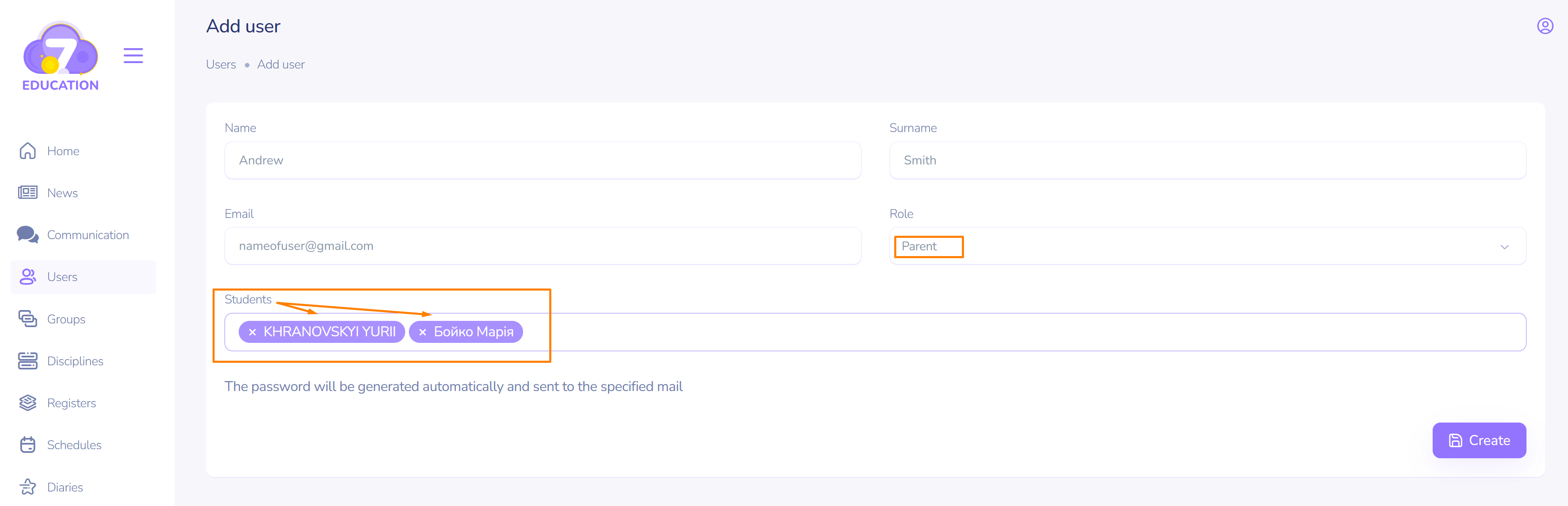
When adding a user with the Parent role to the system:
- Select the student/listener (there can be multiple) for whom the new user will be a guardian.
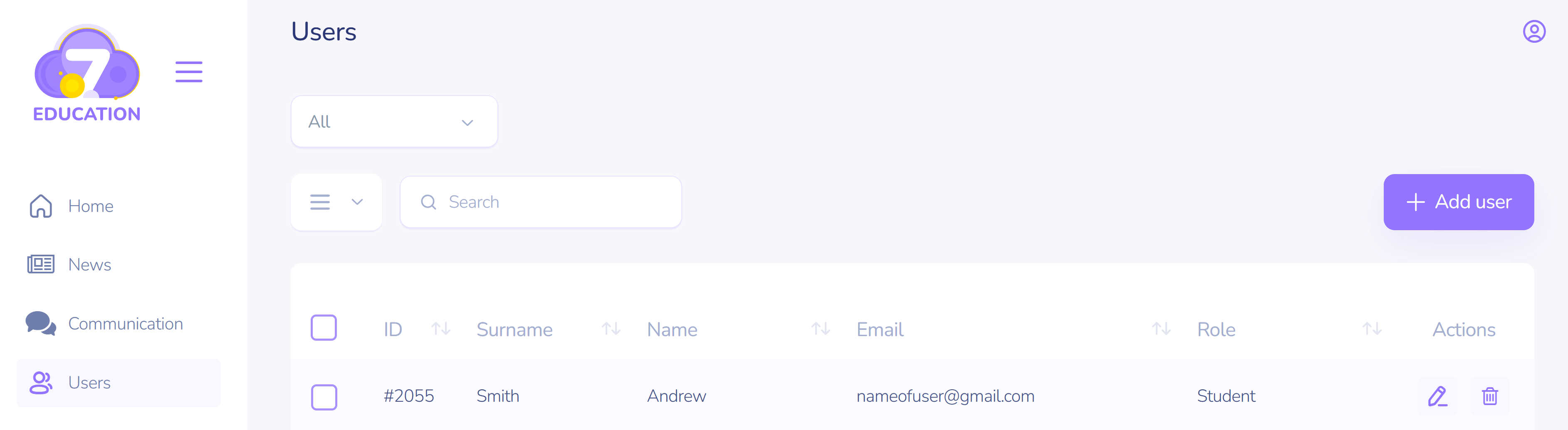
- Click Create.
A welcome email with authentication details for the system will be automatically sent to the added user's email.
Important! You must first create disciplines and the necessary groups. After that, you can add users.