Homework
Homework as a lesson component
One of the modules of a lesson is homework.
Who assigns homework?
Homework is assigned by:
- The instructor, when editing or creating a lesson.
- The administrator of the space can add or edit homework for any lesson.
- The teacher and tutor within the subjects and groups assigned to them.
Adding homework
When editing the lesson:
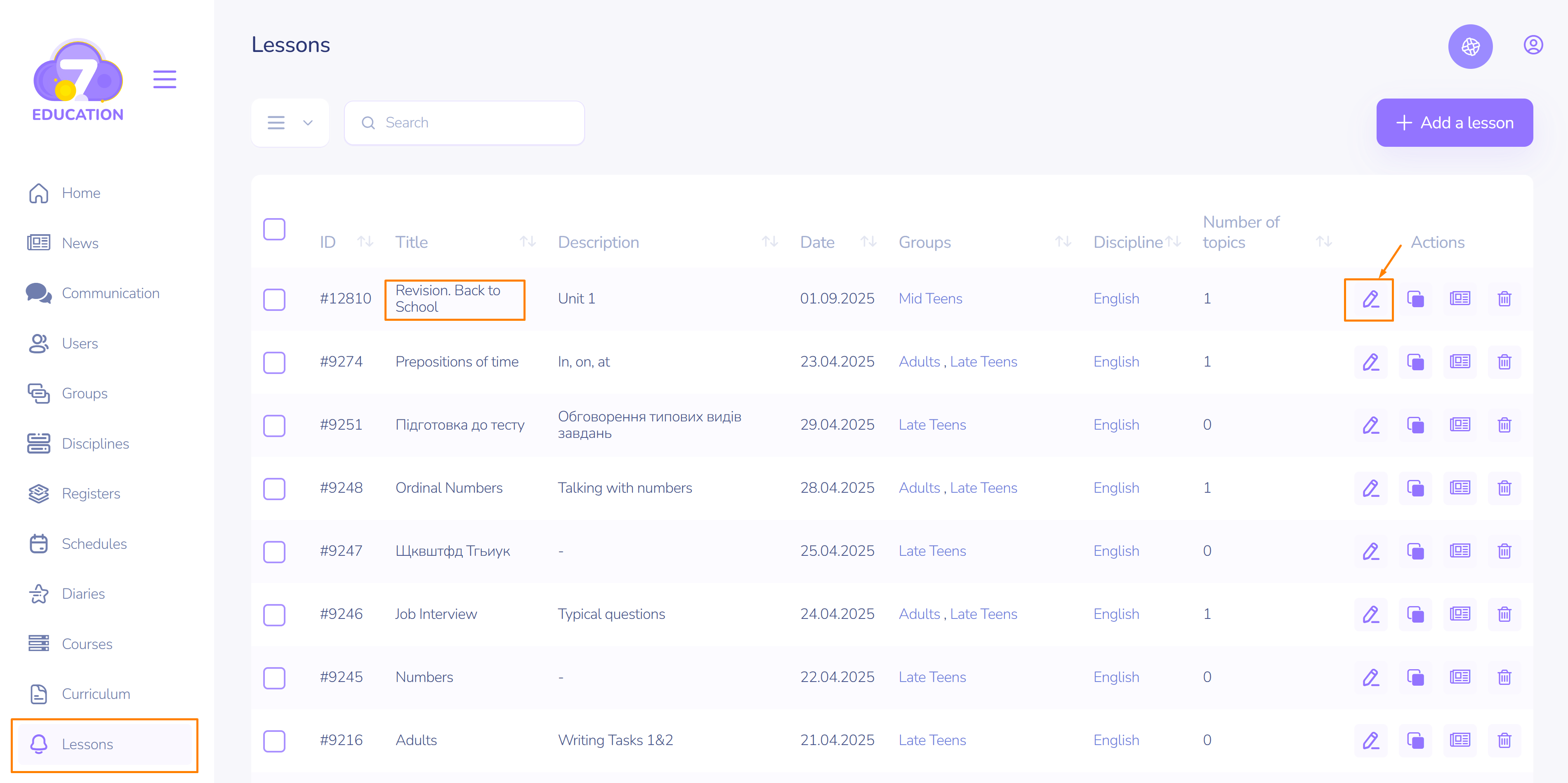
- Click on the three dots.
- Click on Edit.
When creating a lesson, follow the same first steps:
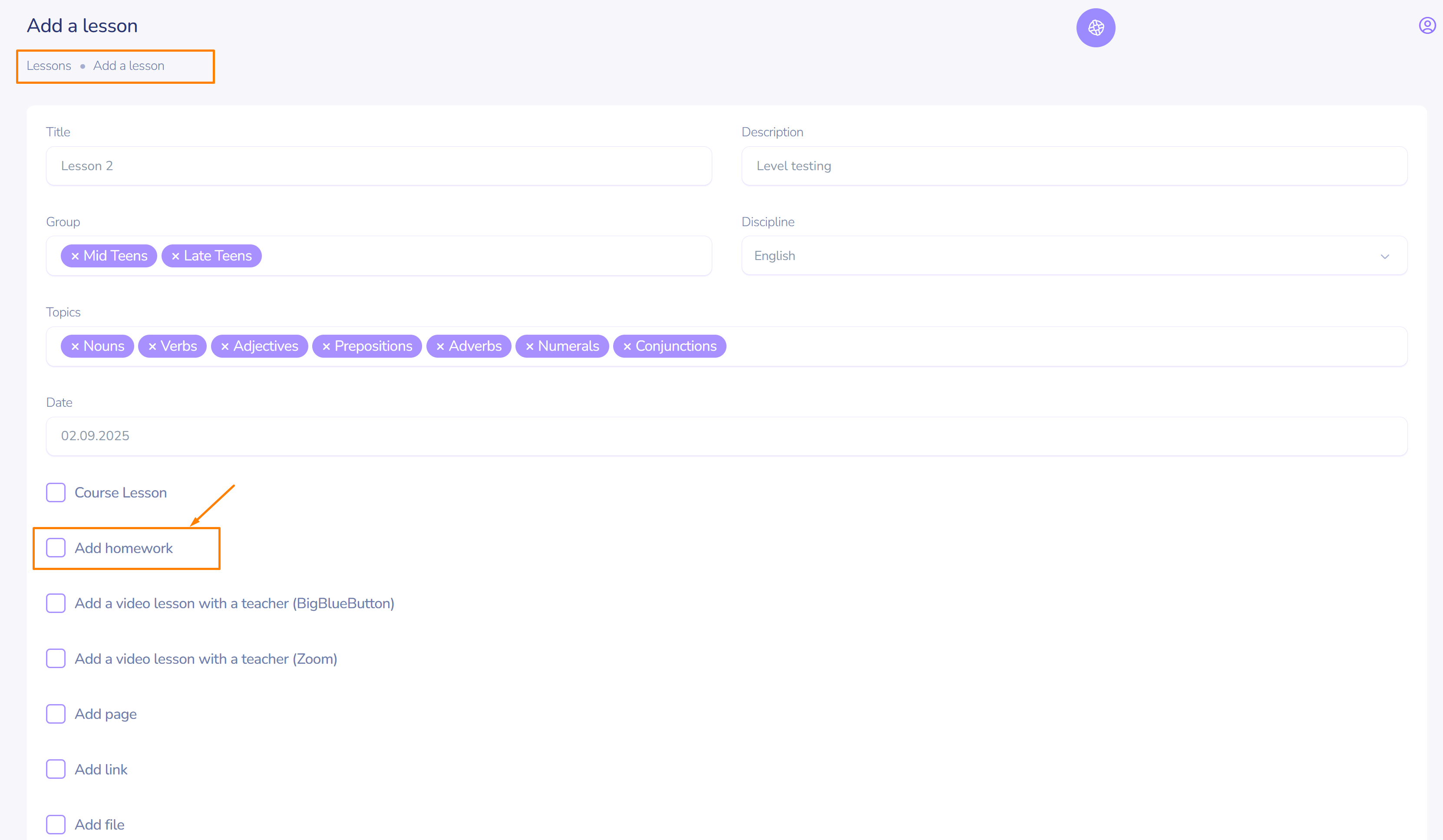
- add homework by activating the corresponding switch
- enter the title and description
- add files
- set a due date if necessary
- and click create/update
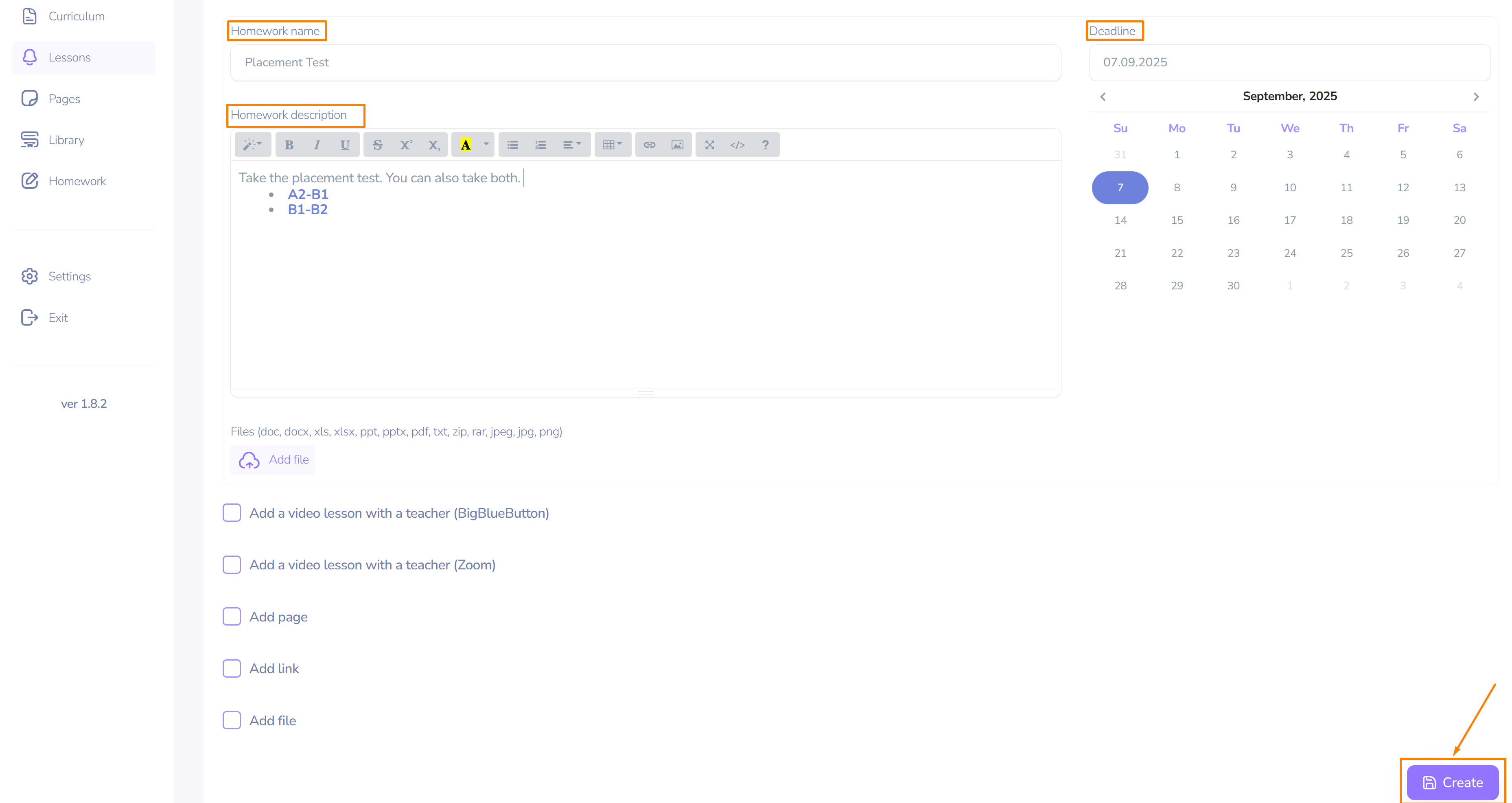
Once saved, the homework will be available in the lesson card and in the homework table.
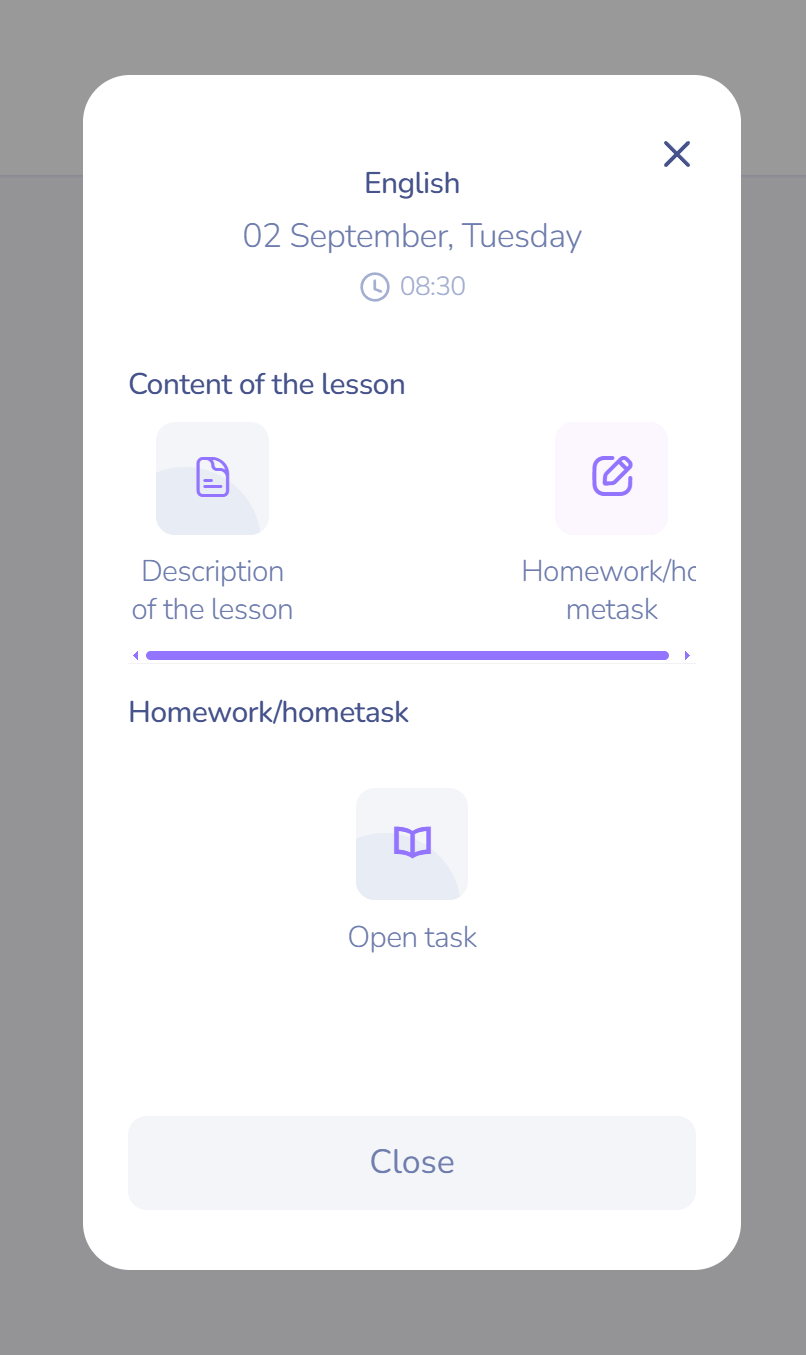
Checking Homework and Adding Comments
The instructor can:
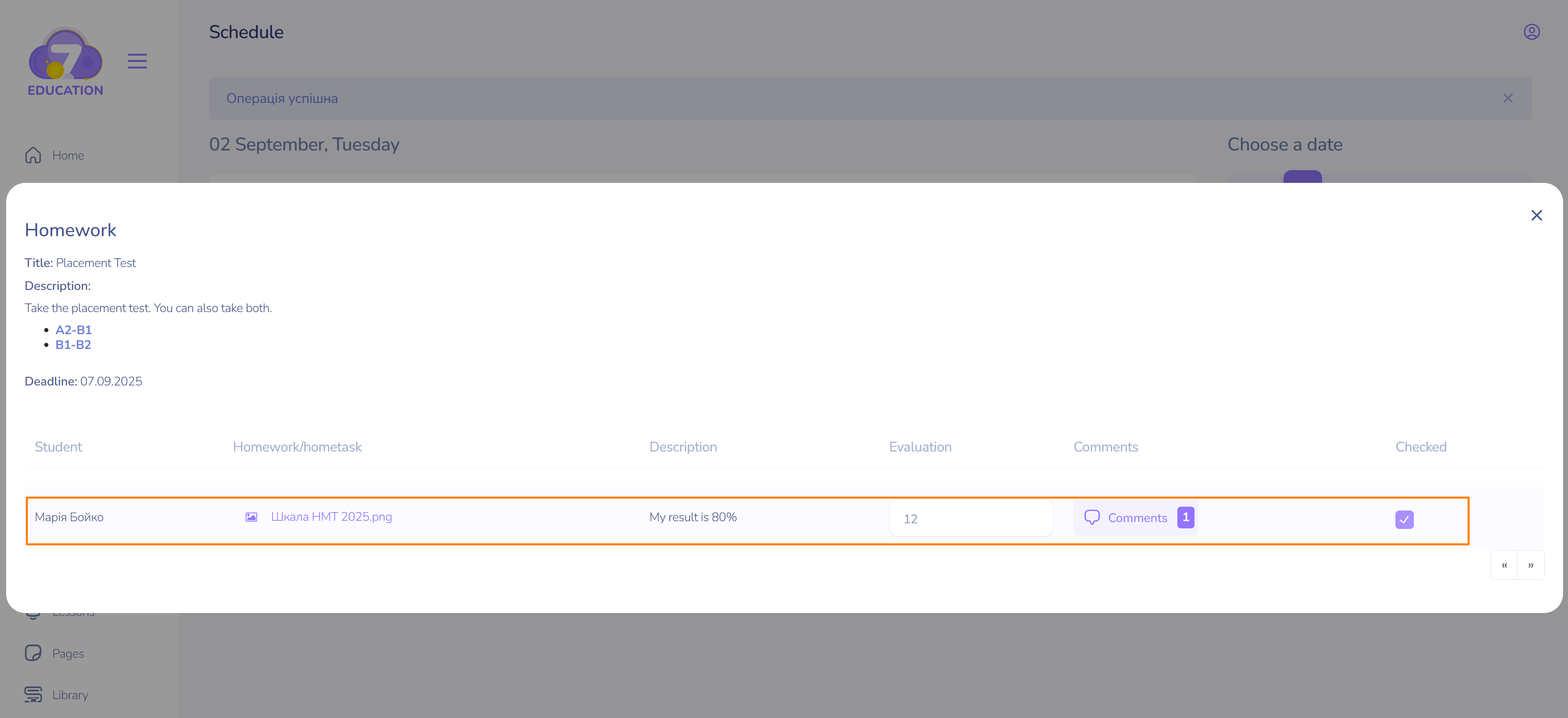
- View the student's first and last name.
- Download and review the student's work.
- View the description of the work.This may include a question from the student.
- Grade the work.
- Add a comment / engage in dialogue with the student.
- Mark it after reviewing the work.
- Check the task's due date.
The video tutorial demonstrates the process of grading and adding a comment to the student's completed task.
Attention! The discussion in the comments is initiated by the instructor.
Homework from the student's page
The student has 3 ways to view the homework:
- On the dashboard.
- In the lesson card on the Schedule page.
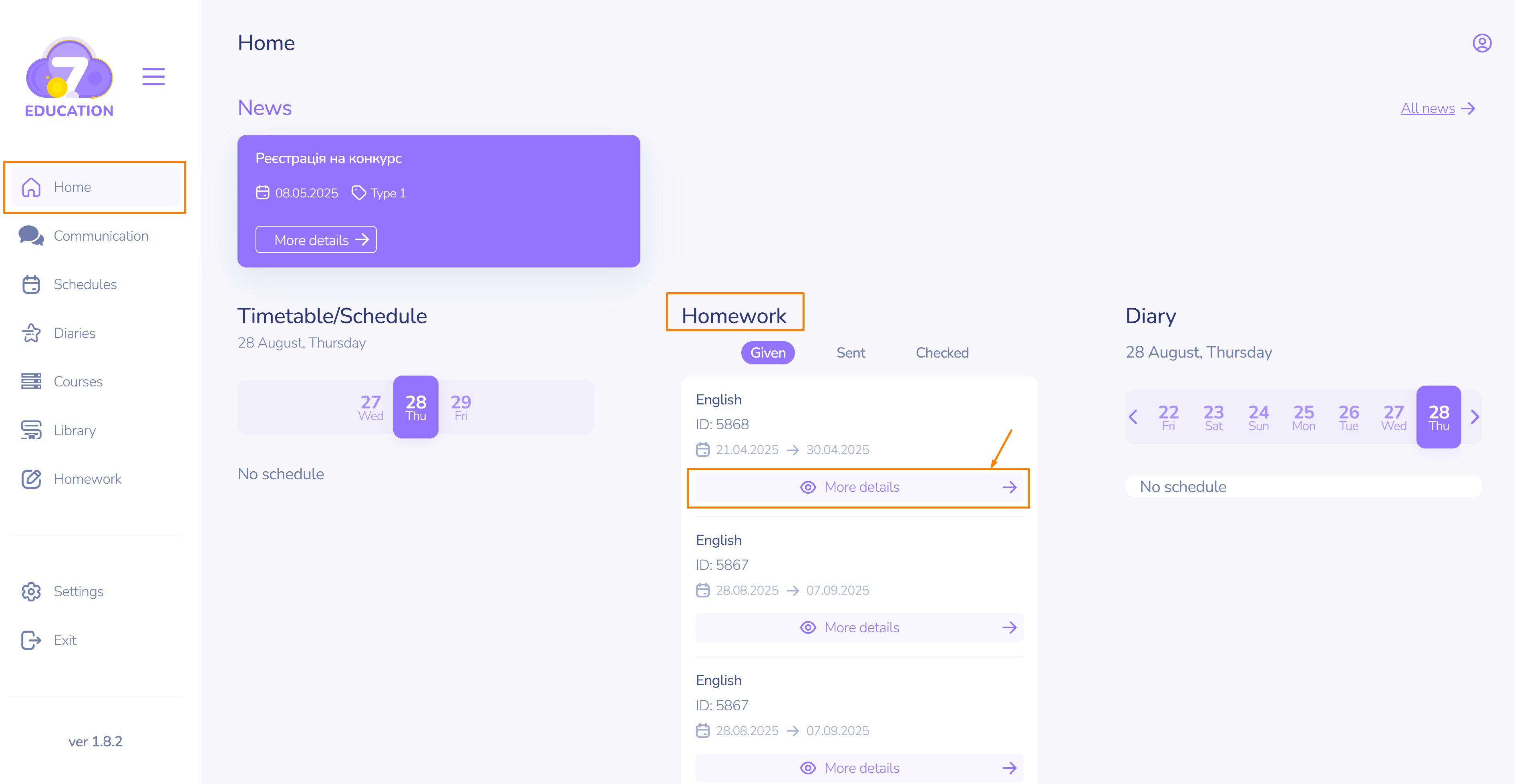
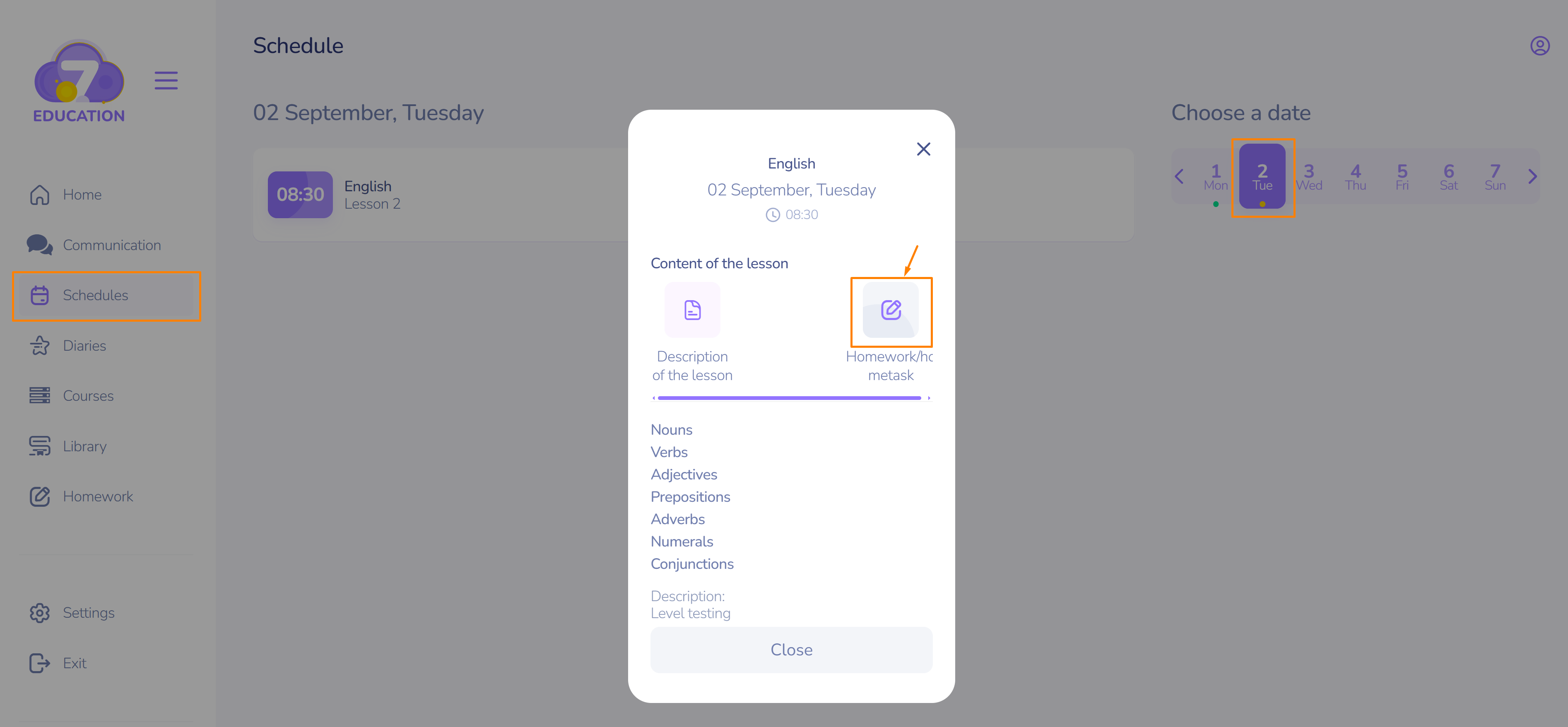
3. On the Homework page in the sidebar of the main menu.
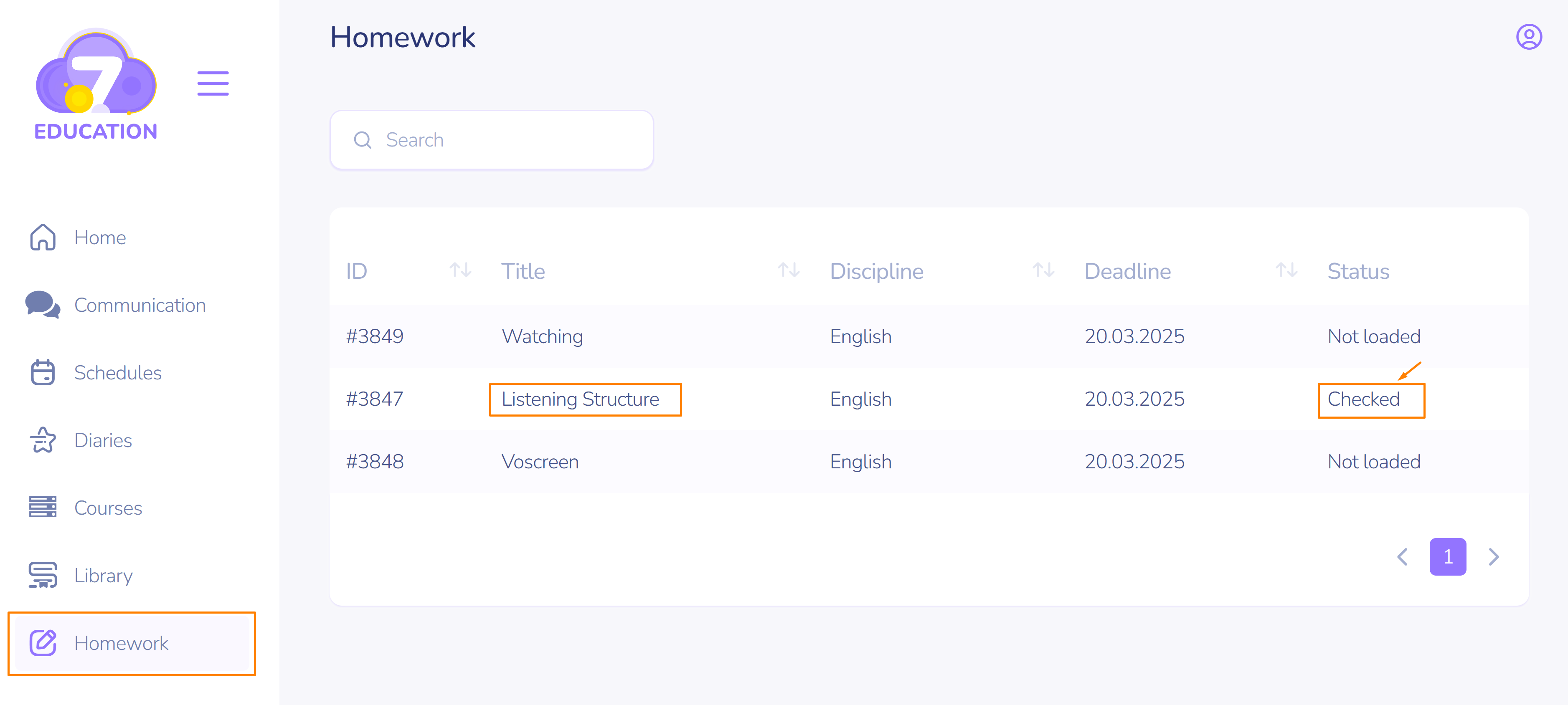
After completing the task:
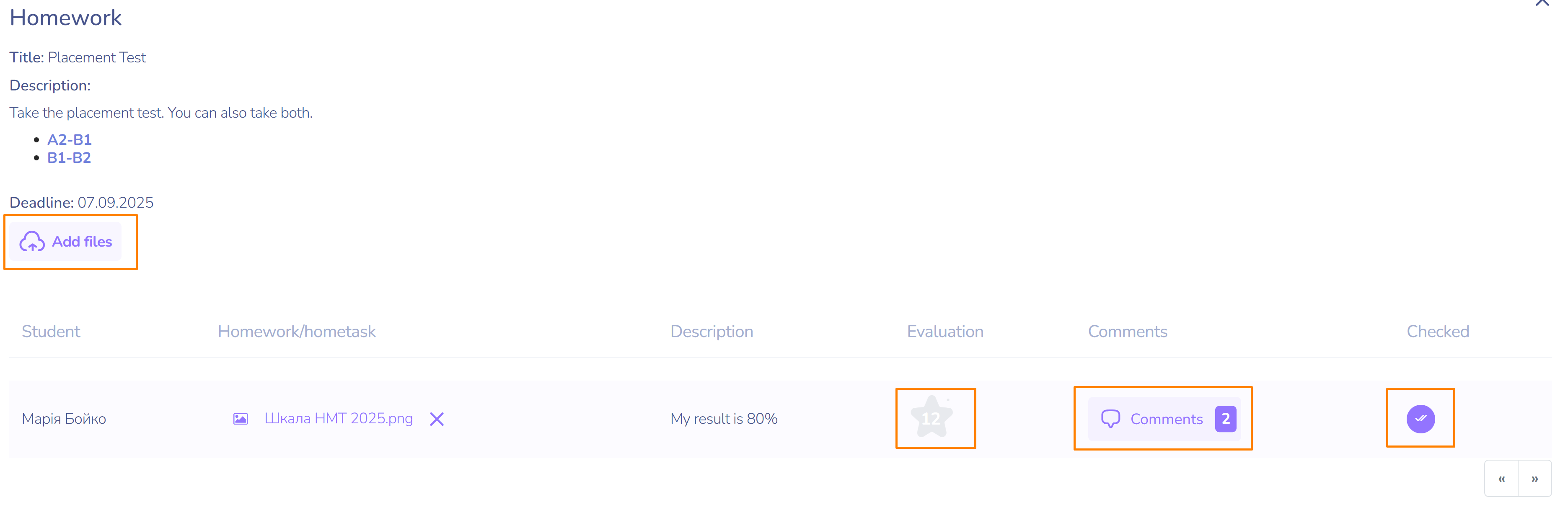
- Upload the files with your work.
- If necessary, add information in the description field.
- Once you receive a comment, discuss the work with the instructor.
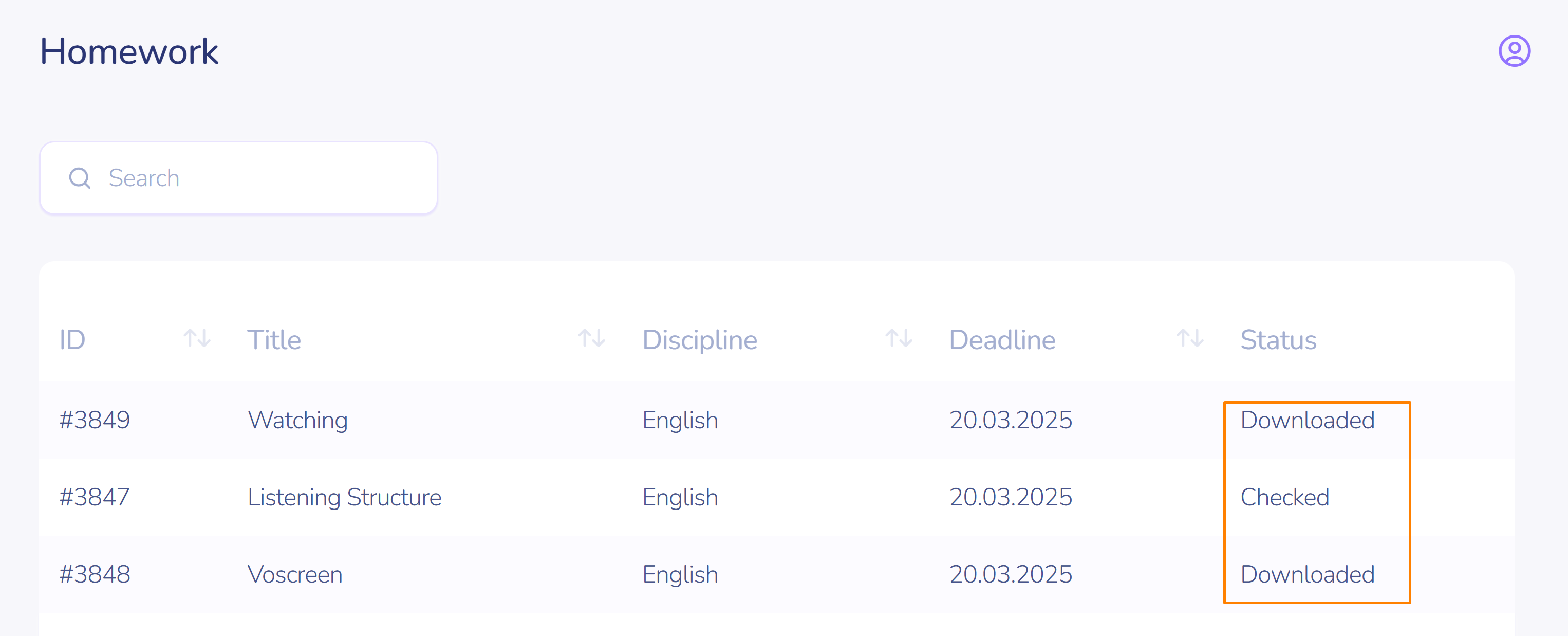
Homework Statuses:
- The task can be in three statuses: assigned, downloaded, and checked.
- After uploading the work, the status of the task will change to downloadeded.
- Check already graded tasks to see the grade and any new messages from the instructor.